A 192.168.1.0/24 network gives you 254 usable hosts. A /23 doubles that to 510. A /22 gives 1,022. The pattern is exponential, and the math behind it — CIDR notation, subnet masks, network addresses, broadcast addresses, host counts, VLSM — is the foundation of every network engineer’s daily work. This guide walks through subnet math from first principles, the rules for IPv4 and IPv6 subnetting, RFC 1918 private ranges, VLSM planning for real-world networks, and the most common subnet calculation mistakes.
What CIDR Notation Actually Means
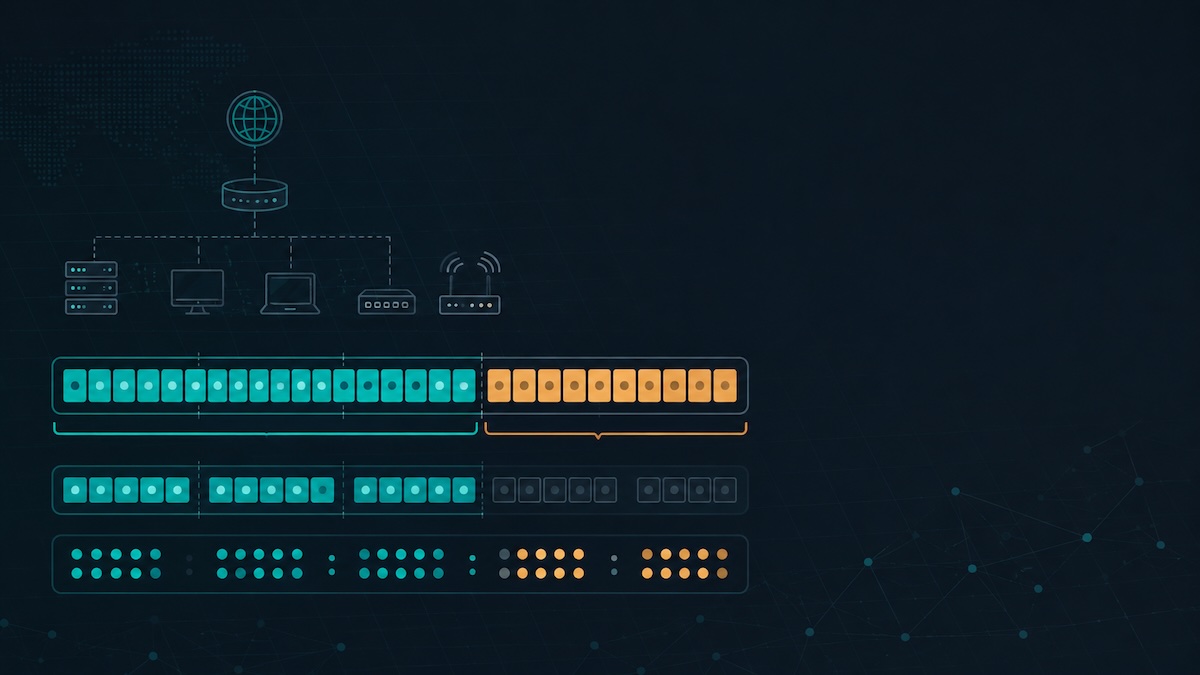
CIDR (Classless Inter-Domain Routing) notation expresses a network range as IP/prefix, where the prefix is the number of bits used for the network portion. 192.168.1.0/24 means “the first 24 bits identify the network; the remaining 8 bits identify hosts.” A /24 has 32 − 24 = 8 host bits, so 28 = 256 addresses, minus 2 for network and broadcast = 254 usable hosts.
CIDR replaced the older “classful” system (Class A /8, Class B /16, Class C /24) in 1993 because classful allocation wasted huge address blocks — a small company needing 300 IPs would get a Class B /16 with 65,534 addresses. CIDR allows any prefix length from /0 to /32, enabling precise allocation. A /22 has 1,022 usable hosts (4× a /24), a /20 has 4,094 (16× a /24), and so on.
The formula is straightforward: usable hosts = 2(32 − prefix) − 2. The minus 2 accounts for the network address (all host bits 0) and broadcast address (all host bits 1) — both reserved and unassignable to hosts. Our subnet calculator handles all the math instantly and shows network address, broadcast address, host range, usable count, and subnet mask in dotted-decimal form for any CIDR you enter.
Subnet Masks: CIDR Prefix in Dotted-Decimal Form
A subnet mask is the CIDR prefix expressed as a 32-bit number in dotted-decimal form, with 1s in the network portion and 0s in the host portion. /24 = 24 ones followed by 8 zeros = 11111111.11111111.11111111.00000000 = 255.255.255.0. The most common subnet masks:
- /8 = 255.0.0.0 (16,777,214 hosts — Class A equivalent)
- /16 = 255.255.0.0 (65,534 hosts — Class B equivalent)
- /24 = 255.255.255.0 (254 hosts — Class C equivalent)
- /25 = 255.255.255.128 (126 hosts)
- /26 = 255.255.255.192 (62 hosts)
- /27 = 255.255.255.224 (30 hosts)
- /28 = 255.255.255.240 (14 hosts)
- /29 = 255.255.255.248 (6 hosts)
- /30 = 255.255.255.252 (2 hosts — common for point-to-point links)
- /31 = 255.255.255.254 (2 addresses, both usable per RFC 3021 for point-to-point)
- /32 = 255.255.255.255 (single host route)
Memorize the values 128, 192, 224, 240, 248, 252, 254, 255 — these are the only possible octet values in a valid subnet mask (each corresponds to 1, 2, 3, 4, 5, 6, 7, 8 leading 1-bits). Anything else is malformed.
Network Address, Broadcast Address, and Usable Host Range
Given a CIDR like 10.20.30.45/26, four key addresses emerge:
- Network address: 10.20.30.0 (first address, all host bits 0) — identifies the subnet, not assignable to hosts
- First usable host: 10.20.30.1 (network address + 1)
- Last usable host: 10.20.30.62 (broadcast − 1)
- Broadcast address: 10.20.30.63 (last address, all host bits 1) — sends to all hosts on the subnet, not assignable to a single host
To compute network address from any IP in the range, perform a bitwise AND between the IP and the subnet mask. For 10.20.30.45 AND 255.255.255.192: convert to binary, AND each bit. The 192 in the last octet (= 11000000) zeros out the bottom 6 bits of 45 (= 00101101), giving 00000000 = 0. So network address = 10.20.30.0. Broadcast = network + (block size − 1) = 10.20.30.0 + 63 = 10.20.30.63. Our subnet calculator performs all four computations instantly for any IP/CIDR combination, including the bitwise breakdown for learning.
RFC 1918 Private IP Ranges and When to Use Each
Three IPv4 ranges are reserved for private use by RFC 1918 — never routed on the public internet, free for any organization to use internally:
- 10.0.0.0/8 — 16,777,216 addresses. Largest range. Used by most large enterprises, datacenters, and cloud private networks (AWS VPC default, GCP default).
- 172.16.0.0/12 — 1,048,576 addresses (covers 172.16.0.0 through 172.31.255.255). Medium-sized range, less commonly used. Default for Docker bridge networks.
- 192.168.0.0/16 — 65,536 addresses. Smallest range. Default for consumer routers (192.168.1.0/24 or 192.168.0.0/24).
Additional reserved ranges: 127.0.0.0/8 (loopback), 169.254.0.0/16 (link-local APIPA), 100.64.0.0/10 (carrier-grade NAT — used by ISPs, not for end users). 0.0.0.0/8 (this network), 224.0.0.0/4 (multicast), 240.0.0.0/4 (reserved). When designing a new network, pick a range with room to grow — don’t default to 192.168.1.0/24 if you have any chance of scaling past 254 devices.
VLSM (Variable Length Subnet Masking): Subnetting a Subnet
VLSM allows different subnets within a single allocation to use different prefix lengths, matching subnet size to actual need. Without VLSM, a /24 split into 4 subnets would use 4 × /26 (62 hosts each = 248 used of 254 available). With VLSM, the same /24 could become 1 × /25 (126 hosts) + 1 × /26 (62 hosts) + 1 × /27 (30 hosts) + 1 × /28 (14 hosts) = 232 hosts in flexible sizes — better fit for real organizational needs (large user LAN + medium server LAN + small DMZ + tiny management).
VLSM planning rule: always allocate the largest subnets first, then progressively smaller. Example splitting 10.0.0.0/24:
- 10.0.0.0/25 (126 hosts, addresses 10.0.0.0–10.0.0.127) — user LAN
- 10.0.0.128/26 (62 hosts, addresses 10.0.0.128–10.0.0.191) — server VLAN
- 10.0.0.192/27 (30 hosts, addresses 10.0.0.192–10.0.0.223) — DMZ
- 10.0.0.224/28 (14 hosts, addresses 10.0.0.224–10.0.0.239) — management
- 10.0.0.240/30 (2 hosts, addresses 10.0.0.240–10.0.0.243) — point-to-point WAN link 1
- 10.0.0.244/30 (2 hosts, addresses 10.0.0.244–10.0.0.247) — point-to-point WAN link 2
If you go smallest-first, you fragment the address space and waste larger contiguous blocks. The subnet calculator supports VLSM planning by showing the next available block after each allocation — useful for verifying your plan doesn’t overlap or waste space.
IPv6 Subnetting: Why It’s Simpler (and Different)
IPv6 addresses are 128 bits long, written in 8 groups of 4 hexadecimal digits separated by colons. Standard /64 subnet size leaves 64 bits for the host portion — that’s 18 quintillion (18,446,744,073,709,551,616) addresses per subnet. Subnetting in IPv6 is conceptually identical to IPv4 (network bits + host bits), but in practice almost everyone uses /64 for end-user subnets because IPv6 stateless address autoconfiguration (SLAAC) requires exactly 64 host bits.
Common IPv6 prefix sizes:
- /32 or /48 — typical allocation from an ISP to a customer organization
- /56 — typical residential allocation (256 /64 subnets — far more than a home needs)
- /64 — standard end-user subnet size
- /128 — single host route (rare)
Because IPv6 subnets are so vast, host enumeration (the IPv4 trick of scanning every IP in a /24) is impractical — even at 1 million scans/second, scanning a /64 takes 585,000 years. This is a security benefit (harder to enumerate hosts) and a constraint (DHCPv6 fingerprinting and host discovery work differently). IPv6 also reserves fewer addresses per subnet — no broadcast address (IPv6 uses multicast instead), no network address restriction the same way IPv4 enforces it.
Real-World Subnet Planning: A Mid-Sized Office Example
A 200-person office needs subnets for users, voice (VoIP), servers, guest WiFi, IoT, and management. ISP gives 10.10.0.0/20 (4,094 hosts across 16 × /24 blocks). VLSM allocation:
- User LAN: 10.10.0.0/23 (510 hosts) — covers 200 users + projected 50% growth + IP phone backup
- VoIP: 10.10.2.0/24 (254 hosts) — IP phones on separate VLAN for QoS
- Servers: 10.10.3.0/24 (254 hosts) — internal servers
- Guest WiFi: 10.10.4.0/24 (254 hosts) — isolated from internal LANs
- IoT: 10.10.5.0/24 (254 hosts) — printers, cameras, sensors on separate VLAN
- Management: 10.10.6.0/26 (62 hosts) — switches, APs, hypervisors
- WAN links: 10.10.6.64/30, 10.10.6.68/30 — point-to-point links to remote sites
- Reserved: 10.10.7.0/24 to 10.10.15.0/24 — future growth and unforeseen subnets
Notice three patterns: (1) Use /23 or larger for user LANs to allow growth without renumbering. (2) Separate voice, IoT, guest into their own VLANs/subnets for QoS, security, and policy control. (3) Always reserve at least 25% of the allocation for future needs — renumbering a production network is painful and error-prone.
Subnet Calculation Shortcuts and the Magic Number Trick
Network engineers use mental shortcuts to compute subnets without a calculator. The most powerful is the “magic number” method: in the octet where the subnet mask isn’t 255 or 0, the magic number is 256 minus that octet’s mask value. For /26 mask 255.255.255.192: magic number = 256 − 192 = 64. Subnets count by 64 in the last octet: 0, 64, 128, 192. So /26 subnets of any /24 are .0/26, .64/26, .128/26, .192/26.
For /20 mask 255.255.240.0: magic number = 256 − 240 = 16, applied to the third octet. Subnets count by 16: .0.0/20, .16.0/20, .32.0/20, .48.0/20, …, .240.0/20. The first IP in any subnet is the network address; the broadcast is one less than the next network address (so /20 starting at .16.0 has broadcast .31.255). Block size for /n = 2(32−n) addresses. /22 = 1,024 addresses, /20 = 4,096 addresses, /16 = 65,536.
For exam scenarios (CCNA, Network+) or quick mental checks, memorize the host count by prefix: /30 = 2, /29 = 6, /28 = 14, /27 = 30, /26 = 62, /25 = 126, /24 = 254, /23 = 510, /22 = 1022. Each prefix doubles the hosts. Use the magic number for the network/broadcast math. Use the subnet calculator to verify edge cases or for VLSM planning across many subnets where mental math is error-prone.
Common Subnet Calculation Mistakes
1. Forgetting the −2 for network and broadcast
A /27 has 32 addresses, but only 30 are usable for hosts. The first (network address) and last (broadcast address) are reserved. Forgetting this leads to allocating too small a subnet for the required host count. Always size up: if you need exactly 30 hosts, use a /27 (30 usable), not a /28 (14 usable).
2. Misreading subnet mask octet values
Only eight values can appear in a subnet mask octet: 0, 128, 192, 224, 240, 248, 252, 254, 255. Any other value (e.g., 100, 200, 250) is malformed. A common typo is writing 255.255.250.0 when meaning 255.255.252.0 — the first is invalid, the second is /22.
3. Subnetting across octet boundaries incorrectly
A /23 spans two consecutive /24s — 10.0.0.0/23 covers 10.0.0.0 through 10.0.1.255 (512 addresses). Subnetting plans must respect this: you can’t arbitrarily start a /23 on an odd /24 boundary. 10.0.1.0/23 is malformed because the network address must align with the prefix length (.0/23 must start on an even .x/24).
4. Confusing CIDR notation with classful
A “Class C” network is /24 (255.255.255.0). But CIDR allows any prefix — /24 isn’t inherently a Class C anymore, it’s just a 24-bit prefix. References to “Class A/B/C” in modern documentation usually mean “the historic class allocations,” which were deprecated in 1993. CIDR is the only correct way to express IP ranges in current networking.
5. Overlapping subnets in VLSM plans
When subnetting manually, it’s easy to allocate 10.0.0.0/25 (covers 0–127) and then accidentally allocate 10.0.0.64/26 (covers 64–127) — both overlap. Always work from largest to smallest prefix, and compute the next available block as (previous network + block size). Tools like the subnet calculator flag overlaps automatically.
When to Use a Subnet Calculator vs Mental Math
Mental math works for: single subnets you compute often (your home /24, your office /22), magic-number lookups for common prefixes, and quick sanity checks during a CCNA-style exam scenario. Use a subnet calculator when: planning a new VLSM allocation with multiple subnets, computing complex IPv6 prefixes (mental hex math is error-prone), verifying that no subnets overlap, or generating documentation that needs exact network/broadcast/range values for change tickets.
For developers integrating networking into applications, related tools are useful: a JSON formatter when working with cloud network configs (AWS VPC JSON, GCP network YAML→JSON), and a case converter when normalizing identifier names across cloud regions (us-east-1 vs USEast1 vs us_east_1). Subnetting math itself is universal, but the surrounding tooling stack depends on your environment — cloud (AWS, GCP, Azure), on-prem (Cisco IOS, Juniper Junos), or hybrid SDN.
Conclusion: Subnet Math is Daily, Make It Boring
Network engineers run subnet calculations dozens of times per day — sizing new VLANs, troubleshooting routing tables, designing migration plans, writing firewall rules. The underlying math is simple, but the mental load adds up when you’re juggling 10 subnets across 3 sites in a maintenance window. Make it boring: memorize the host counts (/30=2, /29=6, /28=14, /27=30, /26=62, /25=126, /24=254), internalize the magic number trick, and lean on a subnet calculator for VLSM plans and IPv6 work where mental math has too many edge cases.
The most expensive mistakes come from overlapping VLSM allocations (silent network breakage) and undersized subnets (forcing renumbering 6 months later). Both are avoidable with 60 seconds of upfront calculator-assisted planning. Bookmark the calculator, and use it any time mental math feels even slightly uncertain — the cost of a wrong subnet allocation in production is far higher than the 30 seconds saved by skipping verification.